Ask answers now point back to the transcript
Answers include supporting transcript moments so you can check the wording and jump back to the source.
- Ask
- Citations
- Accuracy
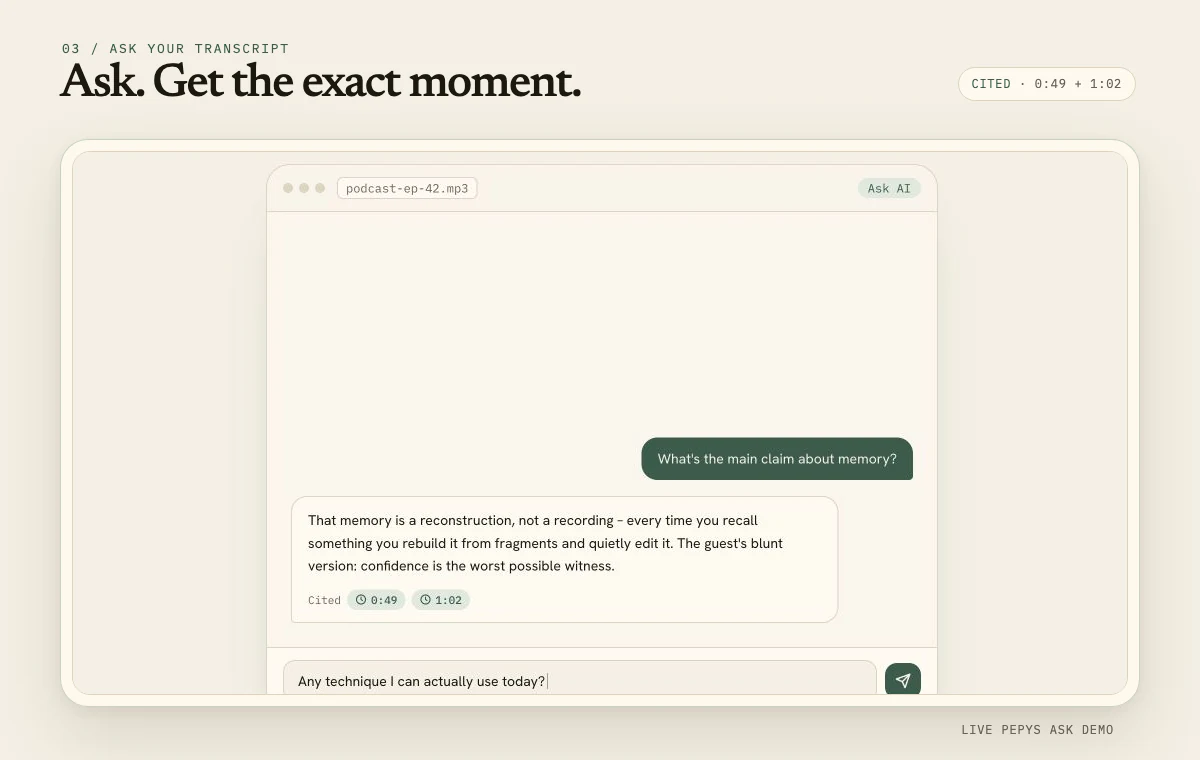
Answers are checked against the transcript
Ask now checks each proposed answer against the transcript before showing it. A claim only stays in the response when the recording supports it and it answers the question you asked.
That changes the role of transcript chat. It is no longer just a quick way to generate plausible notes. It becomes a faster route to an answer you can verify against the source.
Every citation opens the supporting moment
Supporting citations include the timestamp, a short excerpt, and the speaker when one is available. Select a citation and the transcript returns to that moment so you can read the surrounding lines or play the audio.
The excerpt is taken from the saved transcript rather than invented inside the answer. That keeps the citation tied to the same wording you see in the editor.
Pepys says when the evidence is incomplete
If the transcript does not support an answer, Ask can return no supported answer instead of filling the gap. If only part of a response can be verified, the result is marked as partial and unsupported claims are left out.
Very long transcripts may require Pepys to select the most relevant sections for a question. When coverage is limited, the answer shows that limit so a focused result is not mistaken for a review of every line.
Questions that work well
Ask for the main argument, a decision, a named person's position, or where a topic first appeared. You can also request the moments that support a theme before turning them into notes or quotes.
For exact wording, use the cited transcript line and listen to the attached audio. The answer helps you find the evidence; the recording remains the source of truth.
Ready to try it?
See how transcript questions work