What does 'free transcription' actually get you?
Free transcription comes in three shapes, and each one caps somewhere. First, the free tiers of hosted tools. Otter's free Basic plan, for instance, allows 300 transcription minutes a month, 30 minutes per conversation, and three lifetime file imports. That covers a short interview or two, then it stops.
Second, general AI assistants, where the audio limits are stricter than most people expect. Gemini's free tier does accept audio uploads, but caps them at 10 minutes total, extendable to about three hours only on a paid plan. Claude's free tier accepts no audio at all, just documents and images, so it can't transcribe a recording in the first place.
A general assistant also works on audio inside a chat window. That's a different job from making a transcript. You get a summary or an answer, not a speaker-labeled, timestamped file you can export and cite. Gemini's free access is metered too, on compute-based limits that refresh every five hours up to a weekly cap, with the exact thresholds unpublished.
Third, do it yourself with an open-source model. OpenAI's Whisper is released under the permissive MIT license, so you can self-host it for nothing. The catch: you supply the hardware and handle the upkeep yourself. The hosted transcription API is easier, but it caps uploads at 25 MB per file, which a long recording passes quickly.
Is free transcription less accurate than paid?
Not necessarily. On clean conversational speech, the accuracy gap is smaller than the price gap suggests. In one benchmark, professional human transcribers hit 5.9% word error rate and a top automated system 5.8% on the same audio. Free automatic tools run on the same class of models. Accuracy tracks the recording and the accent far more than the price tag.
Where any tool slips is hard audio. Across five commercial speech engines, average word error rate ran 0.35 for Black speakers versus 0.19 for white speakers, roughly double. Overlapping voices, thick accents, background hum, and quiet talkers push errors up on free and paid alike. Paying more does not fix a bad recording.
So accuracy is the wrong axis for this decision. Both free and paid land in a similar range on good audio, and both struggle on bad audio. We go deeper on the numbers in how accurate AI transcription really is. The real differences show up elsewhere: what the tool hands you, and what it does with your data.
The hidden cost of free is often your data
Plenty of free tiers reserve the right to train on what you upload. Anthropic's consumer terms, for one, let it train new models on Free, Pro, and Max account chats when the model-improvement setting is on. Choosing to allow it extends retention to five years. Users had until October 8, 2025 to make the call.
The control is real, but it's easy to miss. Claude's Privacy Center confirms your chats improve the model only if you allow it, and Incognito chats are always excluded. 'Free' usually means the defaults favor the tool, not you – not that any one vendor is careless. For off-the-record or IRB-governed audio, that default matters.
There's a legal edge here too. If your recording carries identifiable voices, it counts as personal data. GDPR makes processing lawful only when you have a valid basis, such as freely given, specific, informed consent from each speaker. A free tool that retains or trains on that audio can pull you into a duty you didn't plan for. We walk through the sensitive-audio workflow in confidential transcription.
What free tools usually leave out
The artifact. A research or newsroom workflow needs a specific file: speaker-labeled, timestamped, and exportable to something you can cite from. Most free options hand you plain text instead. A general assistant gives you a summary in a chat. A quick free tier often drops speaker labels, or diarization, unless you upgrade.
Timestamps are the other common omission. Without them, you can't jump back to the exact second a source said the line you're about to quote, and free plain-text exports usually strip that anchor out. When you're coding qualitative data or fact-checking against a deadline, a timestamp lets you re-hear the moment before you commit a quote to print. Without it, you're scrubbing the whole recording to find one line.
Self-hosting Whisper does get you a file, but only after you stand up the model on your own hardware and build in whatever it lacks out of the box. Paid tools bundle that work. You upload once and export to TXT, DOCX, PDF, SRT, or VTT without building a pipeline first.
When is paying actually worth it?
When your time is worth more than the fee. Transcribing by hand runs up to six hours of work per hour of audio. If a tool turns that into a few minutes of review, it pays for itself on the first serious project. The break-even is low, and it drops further as your volume rises.
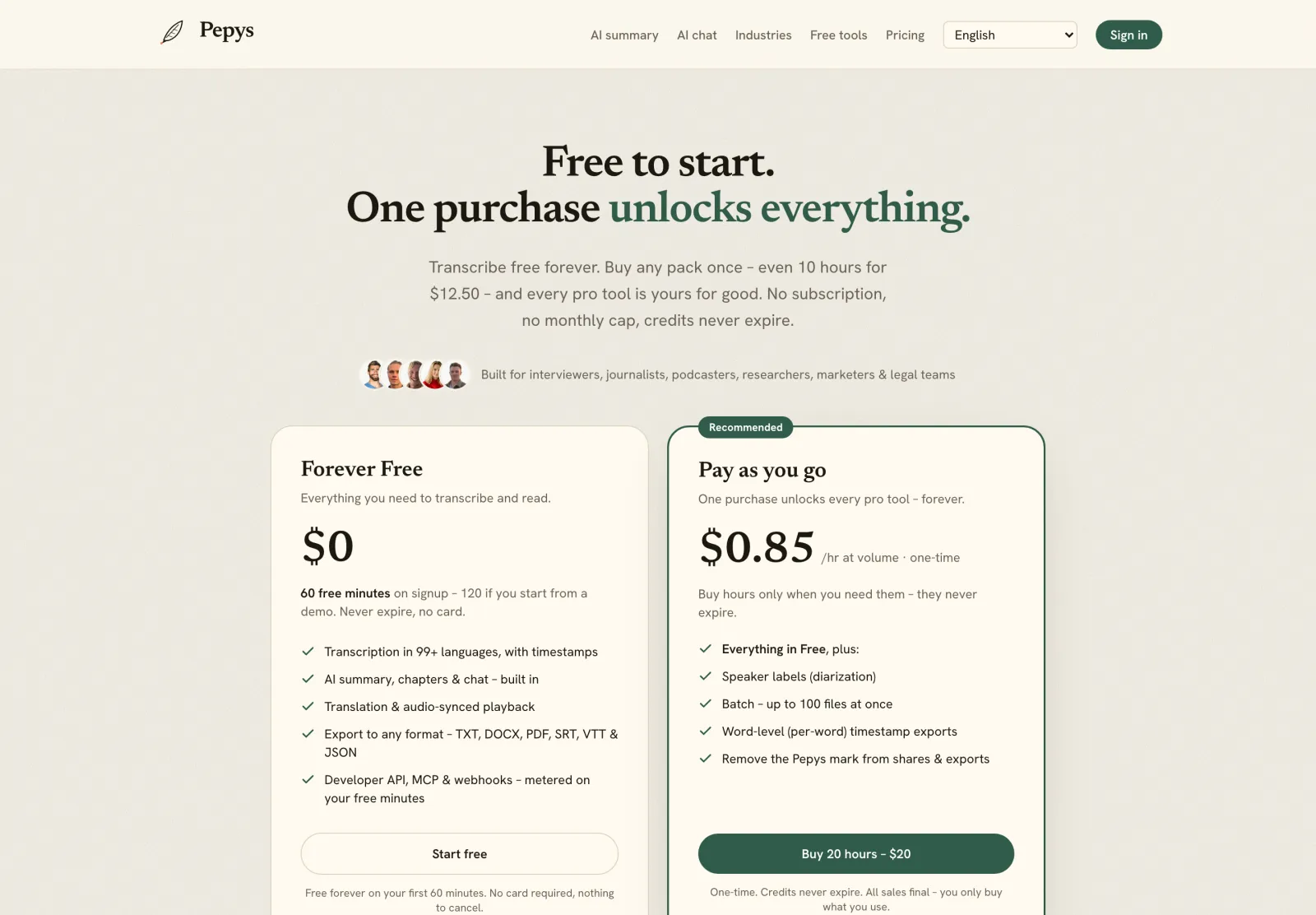
The usual catch with paid is the subscription. A monthly plan sits idle between projects, which punishes anyone with irregular volume: researchers, freelancers, students. A pay-once model closes that gap. You buy minutes when you need them, and credits never expire, so a quiet month costs nothing.
Pepys sits in that middle. You get 60 free minutes to test your real audio, then pay once for what you use, with no training on your files and auto-delete when you're done. You still get the artifact the free tiers skip: a diarized, timestamped transcript you can export, without the subscription paid tools usually attach.
How do you choose between free vs paid transcription?
Match the tool to the job. For a one-off five-minute voice memo, a free tier is plenty. For a 90-minute interview you'll quote in print, or any recording with a named, identifiable source, the short caps and data terms stop being a bargain.
Here's a simple test. If the transcript is a disposable note, free works. If it's an artifact you'll cite, code, or archive, you need diarization, timestamps, export, and a no-training guarantee. Start with free minutes to check a tool on your actual audio, then pay only when the recording earns it.


