A timestamped transcript, defined
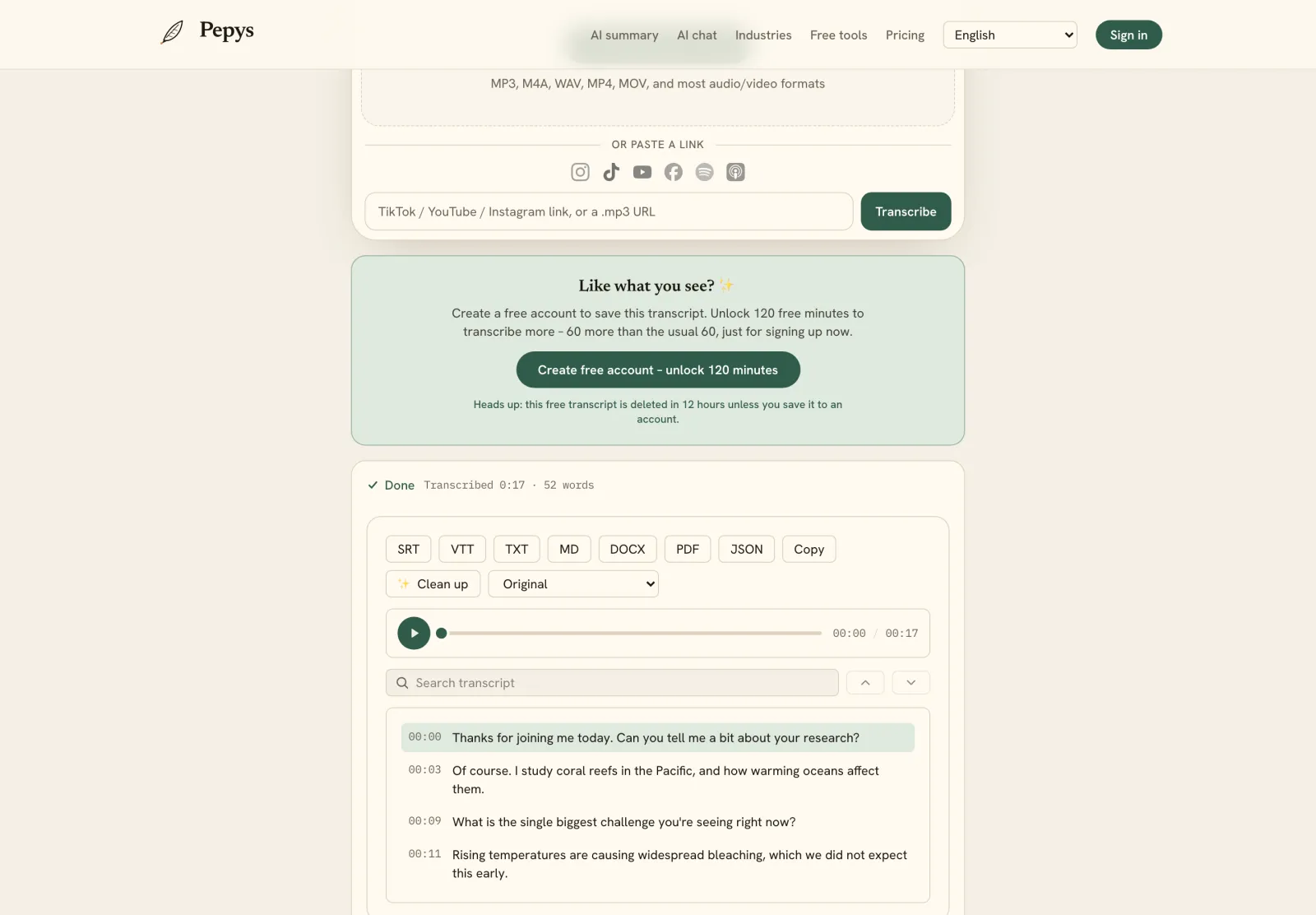
A timestamped transcript is an ordinary transcript with one thing added: every chunk of text carries the time it was spoken. Instead of a flat wall of words, you get lines anchored to the clock: 00:02:17 here, 00:05:41 there. Any passage points straight back to its moment in the recording.
The time codes are written as hours, minutes, and seconds, often down to the millisecond. A cue like 00:02:17,440 means two minutes, seventeen seconds, and 440 thousandths into the file. How finely a transcript is stamped varies: some mark every speaker turn, some every sentence, some every single word.
This page is about what the artifact is and when it's worth having. If you already know you want one and just need to make it, generate a transcript with timestamps instead. The rest of this guide is the why, not the how.
Segment-level and word-level timestamps
Timestamps come in two standard grains, and they answer different questions. OpenAI's speech-to-text API exposes exactly two timestamp granularities – segment and word – and that split is the one most tools follow. Segment timing marks each block of speech; word timing marks each individual word.
Word-level timing is the opt-in layer. In the OpenAI reference, the two supported granularity values are word and segment, and word timings only appear when you ask for them: set the response format to verbose_json and request word granularity. Segment-level timing is the readily available grain; word-level is the one you switch on.
For most work, segment-level is enough. You want the answer that starts around 14:30, not the millisecond edge of the word 'budget.' Word-level timing earns its cost in captions, in karaoke-style highlighting, and when a specific word has to line up with video. Match the grain to the job.
Why native timestamps drift, and how alignment fixes them
The timestamps a model prints aren't automatically accurate. The peer-reviewed WhisperX paper (Interspeech 2023) reports that Whisper's utterance timestamps are prone to inaccuracy and that word-level timestamps aren't available out of the box. The clock the decoder guesses at and the clock the audio follows can drift apart.
The fix is forced alignment. The Montreal Forced Aligner defines it as taking a known transcript and generating a time-aligned version, using a pronunciation dictionary to look up the phones for each word. Plainly: you already have the words, so you align them to the waveform to recover accurate start and end times.
WhisperX pairs voice-activity detection with forced phoneme alignment to produce time-accurate word-level timestamps, reporting strong word-segmentation results. If word-level precision matters to you, ask how the timestamps were produced. Decoder-native timing and alignment-corrected timing aren't the same thing, even when both get labeled 'word-level.'
Timestamps are what turn a transcript into captions
Captions are a timestamped transcript in a specific file format – nothing more exotic than that. And they aren't optional: WCAG 2.1 Success Criterion 1.2.2 makes captions for prerecorded audio a Level A requirement, the baseline conformance bar. Without accurate time codes, text can't stay in sync with speech, so it can't work as captions at all.
The two common caption formats time their cues almost identically, with one giveaway difference. SubRip (SRT) writes a cue as 00:02:17,440, with a comma before the milliseconds – the form shown in Matroska's subtitle documentation. WebVTT, the web caption format specified by the W3C, uses a period instead: 00:02:17.440. Same timing, comma versus full stop.
Building a clean caption file is its own craft. Cue length and reading speed matter as much as your line breaks. If that's your goal, how to make an SRT file covers the block structure and the timing rules. For this page, the point is narrower: captions exist because the transcript underneath them is timestamped.
When does a timestamped transcript actually matter?
Timestamps matter most when you have to prove a quote is real. APA Style tells writers to give a time stamp in place of a page number when directly quoting an audiovisual work. The Chicago Manual of Style advises the same: a time stamp works like a page number, pointing a reader to the exact moment.
A time code is an audit trail. Transcription is never neutral: Oliver, Serovich and Mason call it a powerful act of representation that can shape which conclusions get drawn. Being able to jump back to the source line and hear it in context is how you keep the text honest. That's why the interview transcription workflow treats timestamps as a fact-checking tool, not a formatting nicety.
Timestamps also make long recordings navigable, and they pair naturally with speaker labels. 'Who said what, when' is two questions stacked: speaker diarization answers the who, and the timestamps answer the when. Together they let you index a three-hour recording and jump to the line you need instead of scrubbing for it.


