Record with diarization in mind
Speaker separation starts at the microphone, not in the software. For a moderated session, record each person on their own track where the platform allows it. A separate file for the moderator and the participant makes automatic speaker labeling far cleaner, because the tool isn't guessing who's talking when the two of you overlap. If you only have one mixed file, that's fine – you'll just fix more speaker turns by hand. For the recording-quality basics like mic placement, room noise, and remote per-channel capture, start with the interview transcription hub and come back here for the research-specific steps.
You'll do this a lot, so a repeatable setup pays off. Most usability findings surface after only a handful of participants: Jakob Nielsen's long-standing advice is to test with no more than five users and run as many small studies as you can afford. That means a steady stream of short recordings across rounds, not one marathon file. Nail the capture once and every session after it is easier.
Open every session the same way. Say the date, the study name, and who's in the room into the recording before the first question. It timestamps your consent, anchors which voice is the moderator, and saves you re-listening later just to work out who 'Speaker 1' is.
Transcribe the user interview, then clean the labels your quotes hang on
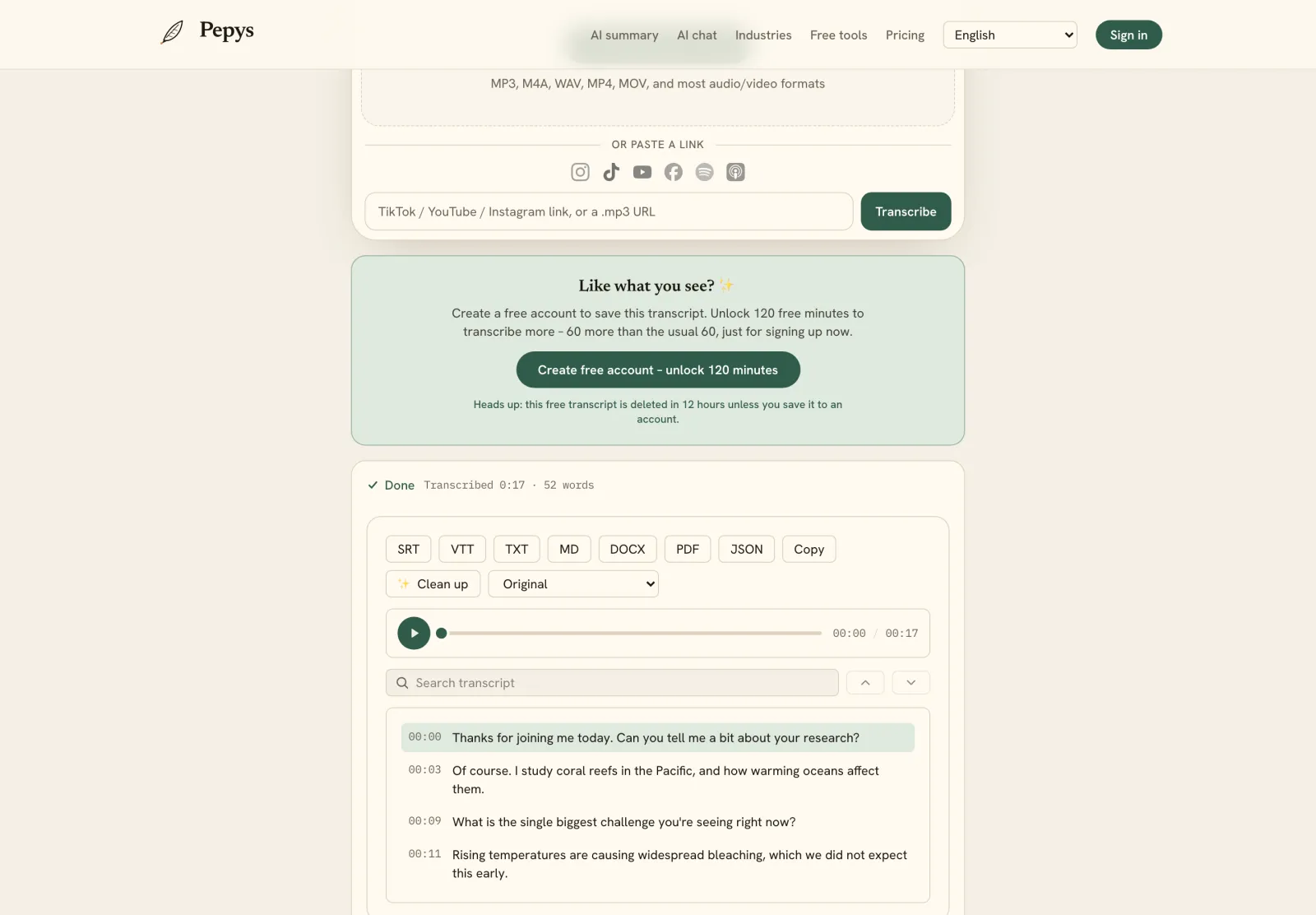
Typing a session by hand is the slowest part of the job. Manual transcription of a one-hour interview can run up to six hours of work, most of a day per participant. An AI first pass turns that into a few minutes of processing plus a focused cleanup. It returns the session already split into moderator and participant turns, with timestamps you can cite.
Fix the labels before you tag anything. Diarization is accurate, but it can swap a speaker during crosstalk or split one person into two labels across a long session. Rename a speaker once so the change flows through the whole transcript, then skim the turns where you and the participant talk over each other. Getting who-said-what right now saves you from mis-attributing a quote later.
Word-level timestamps are what make a highlight clip possible. Because each line carries the exact second it was said, you can find the moment a participant froze on a confusing screen. Jump straight back to that point in the recording and cut a short clip for stakeholders. A quote with a timestamp is evidence. A quote without one is a memory.
Tag the transcript, then cluster the tags into themes
Tagging comes before themes, not the other way around. If your analysis is thematic, the common reference is Braun and Clarke's method, which describes an accessible, flexible approach to analysing qualitative data. You read each transcript, tag every relevant line with a short code, and only then look for patterns across the codes. Coding first keeps you from bending the data toward the story you expected.
Clustering the codes is where themes appear. Affinity diagramming is the standard move: organizing related observations and findings into distinct clusters until a theme names itself. The technique is also called the KJ method, after Jiro Kawakita. Do it on sticky notes or in a whiteboard tool. The point is grouping by natural similarity, not by the question you happened to ask.
Search is how you confirm a theme is real. Once a candidate theme emerges, a searchable transcript lets you find every mention of the idea across sessions in seconds, instead of scrubbing a dozen recordings one by one. That's the difference between 'a few people said this' and a counted, quotable pattern you can defend.
Export into a repository your team can search
A finding no one can find isn't a finding. A research repository is a central place where research artifacts are stored so others can access them, and searched by keyword to find insight quickly. Export each transcript in a format your repository ingests, tag it with the study and participant group, and the next researcher finds it without asking you.
Match the export to the destination. For a written appendix or a repository that takes documents, export a clean speaker-labeled DOCX. For import into NVivo, Atlas.ti, or a structured repository, JSON carries the speakers and timestamps as data you can query. SRT or VTT keep timed captions if you're archiving the video alongside the transcript. Pepys exports TXT, DOCX, PDF, SRT, VTT, and JSON.
Keep the timestamps in whatever you export. A transcript stripped of its timing is far weaker in a repository: a colleague can read the quote but can't jump to the audio to hear tone, hesitation, or context. The timestamped version is the one that earns trust when someone reuses your data a year later.
Consent, confidentiality, and where the recordings live
Get consent to record, and capture it in the recording itself. Recording law varies by jurisdiction – some places need only one party's consent, others require everyone's – so ask for a clear yes before the substance starts. Under the GDPR, an identifiable participant on a recording is a data subject, and their consent must be freely given, specific, informed, and unambiguous. This is general information, not legal advice.
Confidentiality is a promise you keep in the transcript. When a participant needs protecting, work on a copy and strip the details that re-identify them, from names and employers to a rare job title, while keeping the un-redacted master somewhere access-controlled. Removing the name alone rarely does it, because combined details still point to a person.
Mind where the audio lives for IRB or privileged material. Use a tool that doesn't train models on your files and doesn't hold the recording forever. Pepys never trains on your audio, and by default the source recording is deleted 30 days after upload, while your transcript and every export are kept for as long as you need them.