Can ChatGPT transcribe audio you upload?
Not directly, at least not in the consumer app. OpenAI's own help docs list audio and video as unsupported upload types, so dropping an MP3, WAV, or M4A into a chat won't produce a transcript. The general per-file upload ceiling is 512MB, but that covers documents, spreadsheets, slides, and images. Audio isn't on the list.
The '25MB' figure you'll see in dozens of blog posts is real, but it belongs to the API, not the chat window. OpenAI's developer speech-to-text guide caps API audio uploads at 25MB and returns plain text by default. Even then, the current model rejects a single request longer than 1500 seconds, about 25 minutes, so a full interview has to be split up first.
So the honest answer splits in two. Through code, you can transcribe short clips. Through the app most people actually use, you can't upload audio at all. Turning a real recording into a speaker-labeled, exportable transcript is a job a general chat assistant simply isn't set up to do.
What about Voice Mode – doesn't it transcribe?
Voice Mode transcribes you, not your recordings. OpenAI describes Advanced Voice Mode as real-time, fluid conversation that even handles interruptions. You speak, it replies. When you exit, a transcription of that live exchange is added to your text chat, so there is a written record of what you both said.
That's a conversation transcript, not a transcription service. Voice Mode isn't built to ingest a played-back or uploaded recording and hand you back a faithful file. Hold your phone up to a lecture and you might capture fragments as chat text, but ChatGPT's turn-taking shapes them into an unlabeled, untimed blob. The room's actual dialogue gets lost.
Voice Mode won't replace a transcription tool. For a quick spoken note to yourself, it's fine. For an interview you need to quote accurately, it isn't. It's optimized for dialogue, not documentation, and the difference shows the moment you need an exact line.
What ChatGPT won't give you: speaker labels, timestamps, or a file
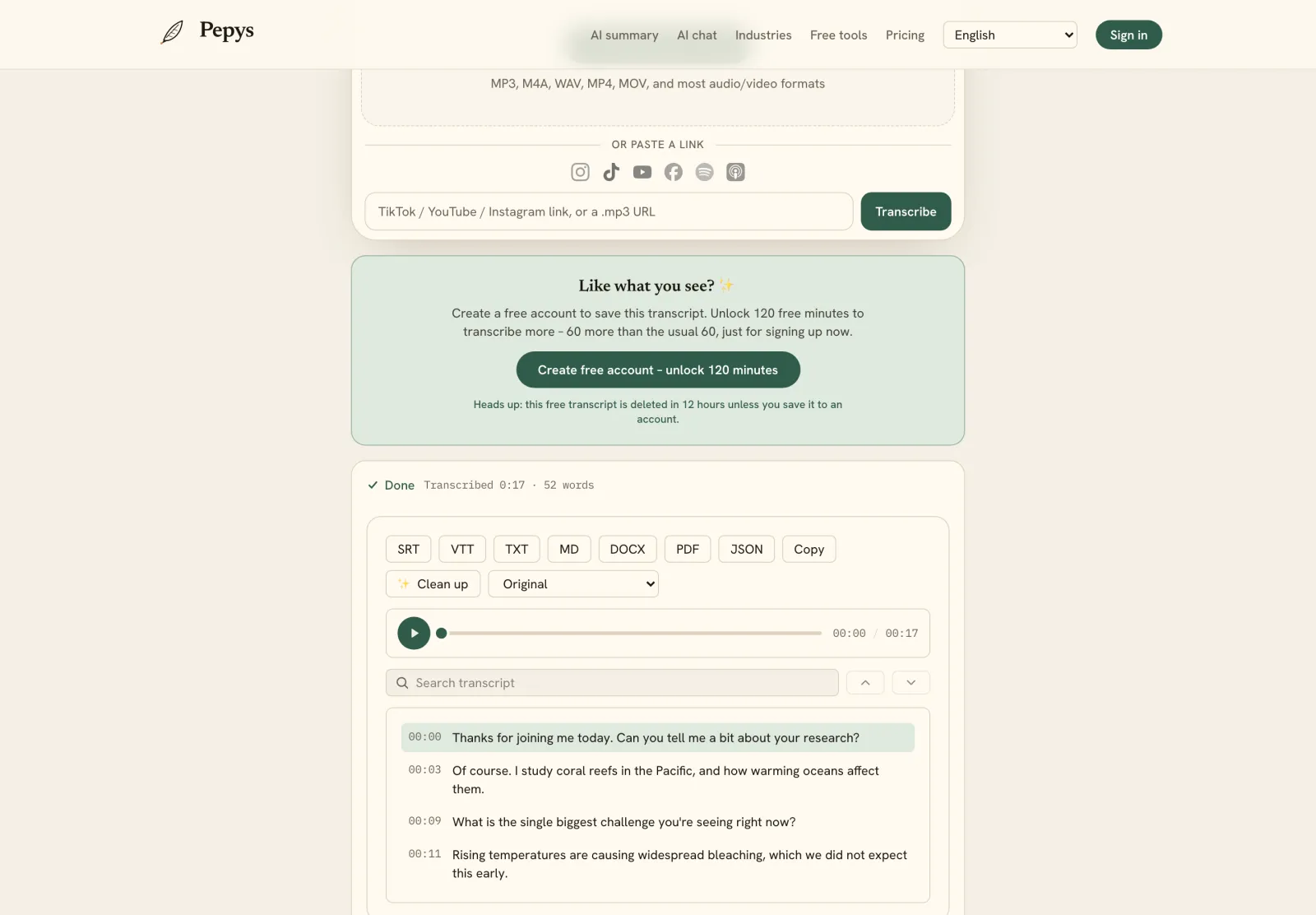
Even where OpenAI's models do transcribe, three things go missing by default: speaker labels, timestamps, and a downloadable file. Diarization, knowing who said what, isn't in the standard output. OpenAI shipped a separate model, gpt-4o-transcribe-diarize, specifically to add speaker segments, and it's API-only, absent from the chat app.
Timestamps tell the same story. They only appear when you pass a specific parameter, and per OpenAI's docs that parameter works only on the older whisper-1 model. Ask for a transcript in the chat and you get a wall of plain text: no who-said-what, no line you can jump back to in the audio to verify.
And there's no transcript export. Whatever text lands in the chat is copyable, but ChatGPT has no built-in way to hand you a TXT, DOCX, SRT, or VTT file. If you need captions as a timed SRT file, or a formatted document to code and cite from, you're rebuilding it by hand from pasted text.
How accurate is OpenAI's transcription?
OpenAI's current speech-to-text is strong, but not flawless. gpt-4o-transcribe replaced the older Whisper model with a better word error rate, and TechCrunch reported the new models hallucinate less at their March 2025 launch. That newer model is the engine behind OpenAI transcription today; raw Whisper no longer runs under the hood.
The caveat matters, because AI transcription can invent text nobody spoke. A peer-reviewed audit ran 13,140 audio segments through the original Whisper. It found roughly 1% held entirely fabricated phrases, and 38% of those hallucinations carried explicit harms (Koenecke et al., 2024). Newer models hallucinate less, but 'less' isn't 'never', which is why you read a transcript against the audio before quoting.
For scale, professional human transcribers hit about 5.9% word error rate on conversational speech (Xiong et al., 2016), a bar good ASR now approaches on clean audio. The real gap isn't raw accuracy anymore. It's everything around the words: who spoke when, and a file you can cite from.
So when do you actually need a dedicated tool?
One caution before you paste a sensitive transcript into ChatGPT: consumer chats may train the model. OpenAI's data-usage FAQ says consumer content may be used to train its models unless you opt out, while the API and business tiers are excluded by default. For IRB, privileged, or off-the-record audio, that default cuts the wrong way.
So, can ChatGPT transcribe audio? For a short clip through the API, or a quick spoken note in Voice Mode, yes. For a long interview, lecture, or deposition that has to be diarized, timestamped, and exported as a citable file, no. That's a different job, and manual cleanup instead can run up to six times the length of the audio.
The faster path is to upload your recording to a purpose-built tool, get a speaker-labeled draft back in minutes, then clean only the quotes you'll publish. That's the full interview-transcription workflow, and it's where a transcription tool earns its keep over a chat window.


