Pepys

Guide

How to transcribe a Zoom meeting

A working guide for anyone who needs an accurate, speaker-labeled transcript of a Zoom call – from capturing clean audio to quoting people fairly.

The short answer

To transcribe a Zoom meeting, record it first, then get a speaker-labeled, timestamped draft. Zoom's built-in cloud transcript needs a paid plan, so on a free Basic account you'll record the call yourself. For the cleanest labels, save a separate audio file per participant, upload those tracks to a transcription tool, then clean only the quotes you'll publish and keep the timestamps to re-check any line.

Record before you transcribe a Zoom meeting

Zoom can generate an audio transcript for cloud recordings, but that feature needs a paid plan – Pro, Business, Education, or Enterprise – with cloud recording turned on by an admin. On a free Basic account it isn't there by default. So your first decision is how you'll capture the call: Zoom's cloud transcript, a local recording, or a separate file per speaker.

The best capture for accuracy is per-participant audio. Zoom can save a separate audio file for each participant, so every speaker lands on their own track. Isolated tracks make speaker labeling far cleaner, because the tool isn't guessing who's talking when two people talk over each other. Turn that setting on before the meeting, not after.

If you can only get a single mixed recording, that's workable – you'll just fix more speaker turns by hand. Either way, have each person say their name and the date at the top of the call. It anchors who 'Speaker 1' is and timestamps your consent.

Should you use Zoom's transcript or upload the audio?

Zoom's built-in transcript is convenient, but it's tied to a paid plan. Uploading your recording to a dedicated tool is the more flexible route, especially if you captured per-participant tracks. The underlying workflow is the same one you'd use to transcribe any interview: AI does the first pass, you do the cleanup.

Typing it up by hand is the slow path. Transcribing by hand can take up to six hours for a single hour of audio – most of a working day for one meeting. An AI first pass turns that hour into a few minutes of processing plus a focused cleanup, so you're editing, not re-transcribing.

Where the machine still needs you: proper nouns, acronyms, numbers said fast, and crosstalk where two people speak at once. Those are exactly the lines that matter for an attributable quote. Let the tool handle the bulk and spend your attention on the small share that's load-bearing.

What gives you the cleanest speaker labels on a Zoom recording?

Feed the tool separated audio. Zoom's separate-file-per-participant recording gives each speaker a clean track, which is the single biggest lever on label accuracy – bigger than any setting inside the transcription tool. When every voice arrives on its own file, the labels stay distinct even through fast back-and-forth.

With a single mixed file, the tool separates speakers by voice, which works but stumbles on overlapping speech and similar-sounding people. Read the labeled draft against the audio and correct the turns around crosstalk. Keeping gallery-view video helps too – matching a voice to a face resolves an ambiguous label in seconds.

Don't rename speakers until the draft is otherwise clean. Fix the turn boundaries first, then swap 'Speaker 1' for the real name in one pass, so a mislabeled stretch doesn't propagate the wrong name through the whole transcript.

Verbatim, clean, or readable – and quoting people fairly

Decide your transcript style before you edit, because it changes every line. In research, that choice is a real act of representation, not a neutral clerical step. Strict verbatim keeps every 'um' and false start; clean verbatim drops the filler but keeps the words; readable verbatim lightly tidies grammar so a quote reads smoothly in print.

For the quotes you'll actually publish, tighten to your chosen style and keep the timestamp so you can re-check the line against the audio before it goes out. Don't polish the whole transcript to publication quality. Most of it you'll never quote, so spend the effort on the lines going into the piece.

Never silently fix a factual slip a speaker made. If they say the wrong year, the quote keeps the wrong year, and you flag it with a bracketed [sic] – the standard way to show the error is the source's, not yours – rather than making a quiet edit.

Consent and where the recording lives

Zoom shows a recording banner, but a banner isn't the same as consent. US recording law varies: federal law and most states allow one-party consent, while roughly a dozen states require every party to agree. Get a clear yes on the record before the substance starts.

Zoom calls routinely cross state lines, and that complicates things. When participants sit in different states, the cautious move is to assume the stricter state law applies – so treat an all-party-consent state on the call as the rule for everyone. Asking each person to consent on the recording is the cleanest defense.

For sensitive meetings, mind where the audio and transcript sit. Use a tool that doesn't train on your files and lets you delete them after processing. When you're done, export to DOCX for writing or SRT/VTT for captions, and keep the master somewhere access-controlled. Pepys never trains on your audio or text, and you can auto-delete files after transcription.
The steps, in order

  1. 01

    Set up the recording

    Turn on Zoom's separate-audio-file-per-participant option before the call, or record locally. On a free Basic plan, plan to record and upload, since Zoom's built-in cloud transcript needs a paid plan.

  2. 02

    State names and consent up top

    Before the substance, have each person say their name and agree to be recorded, so both consent and speaker identity are captured in the audio itself.

  3. 03

    Upload the tracks for an AI first pass

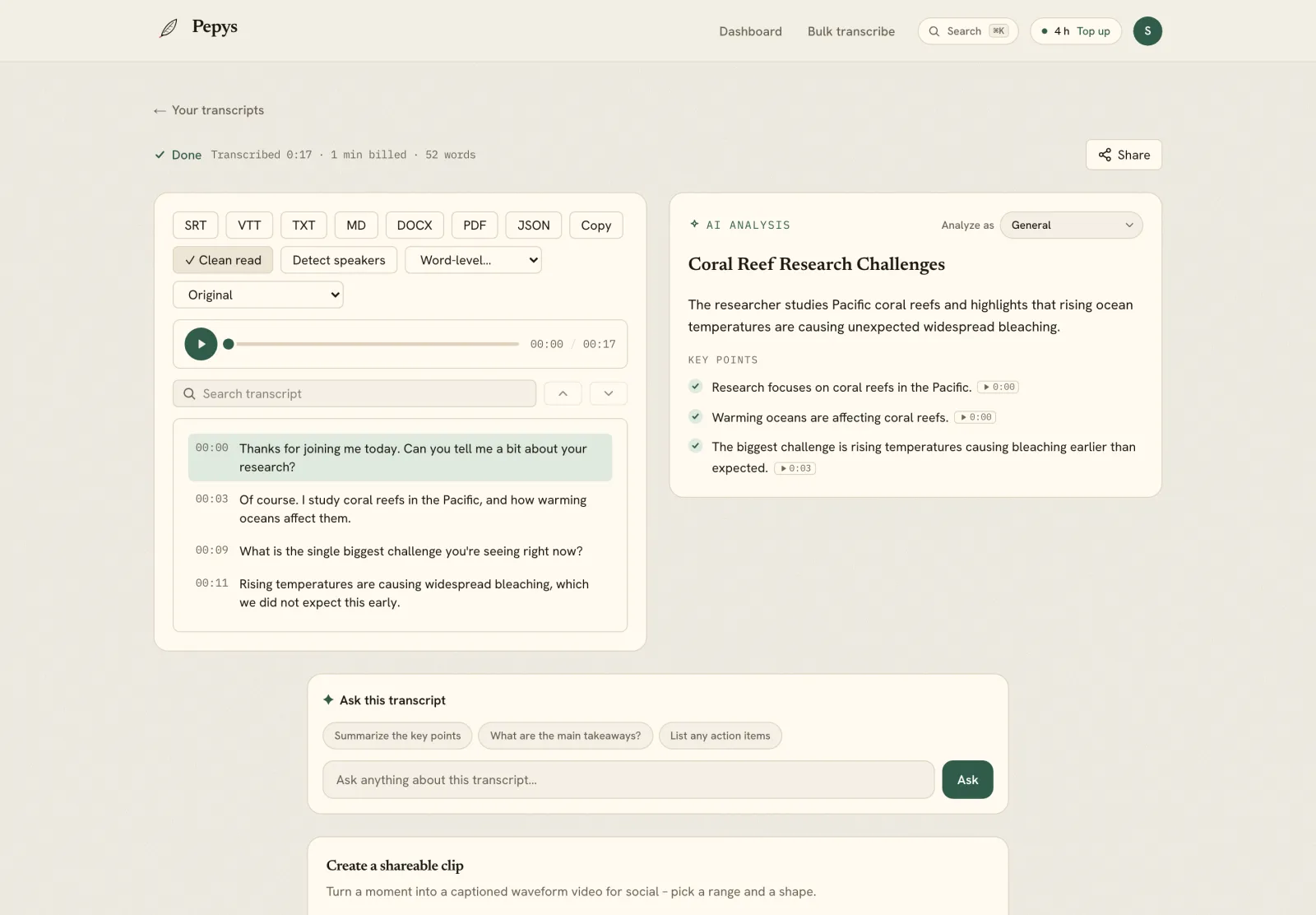
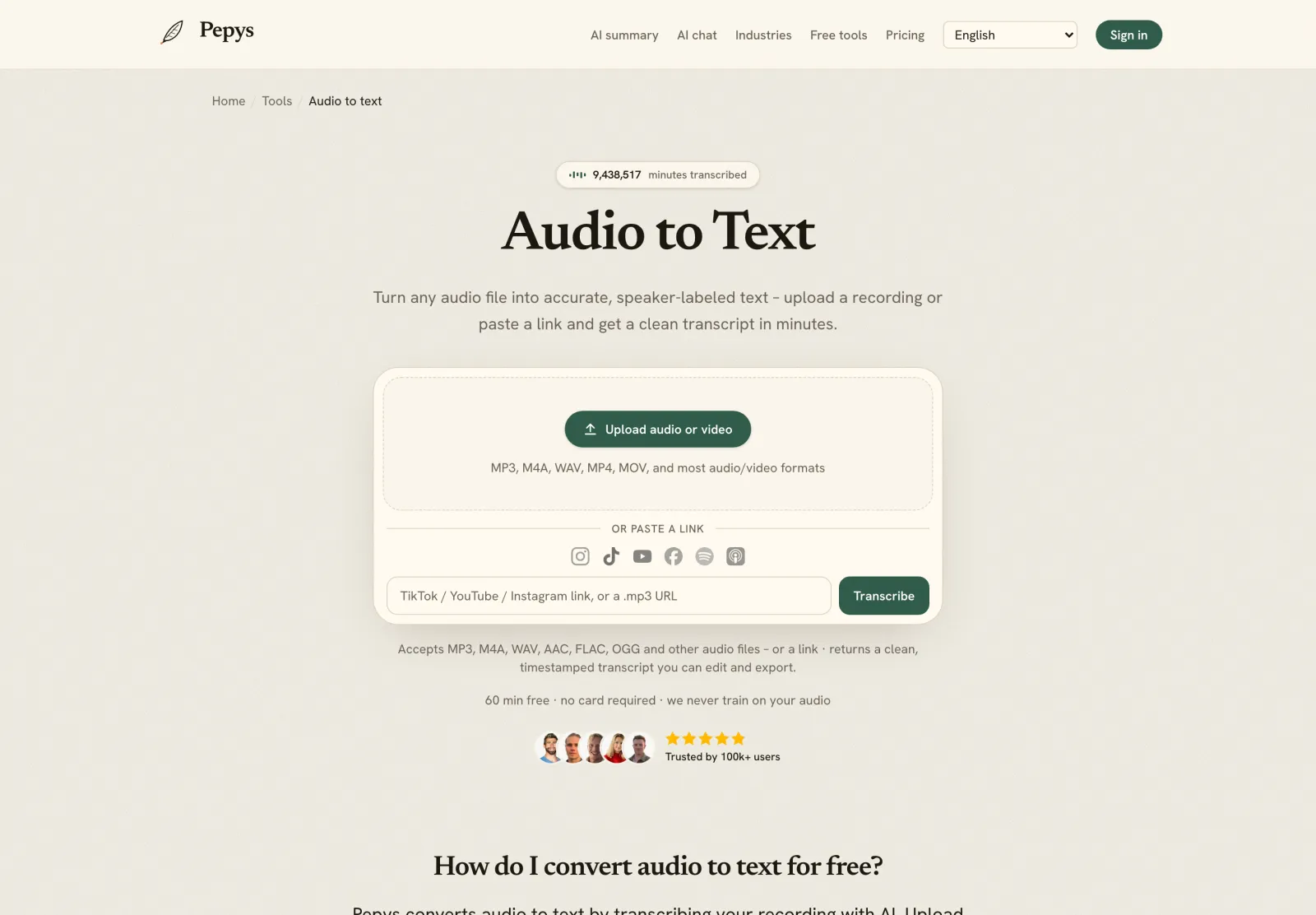
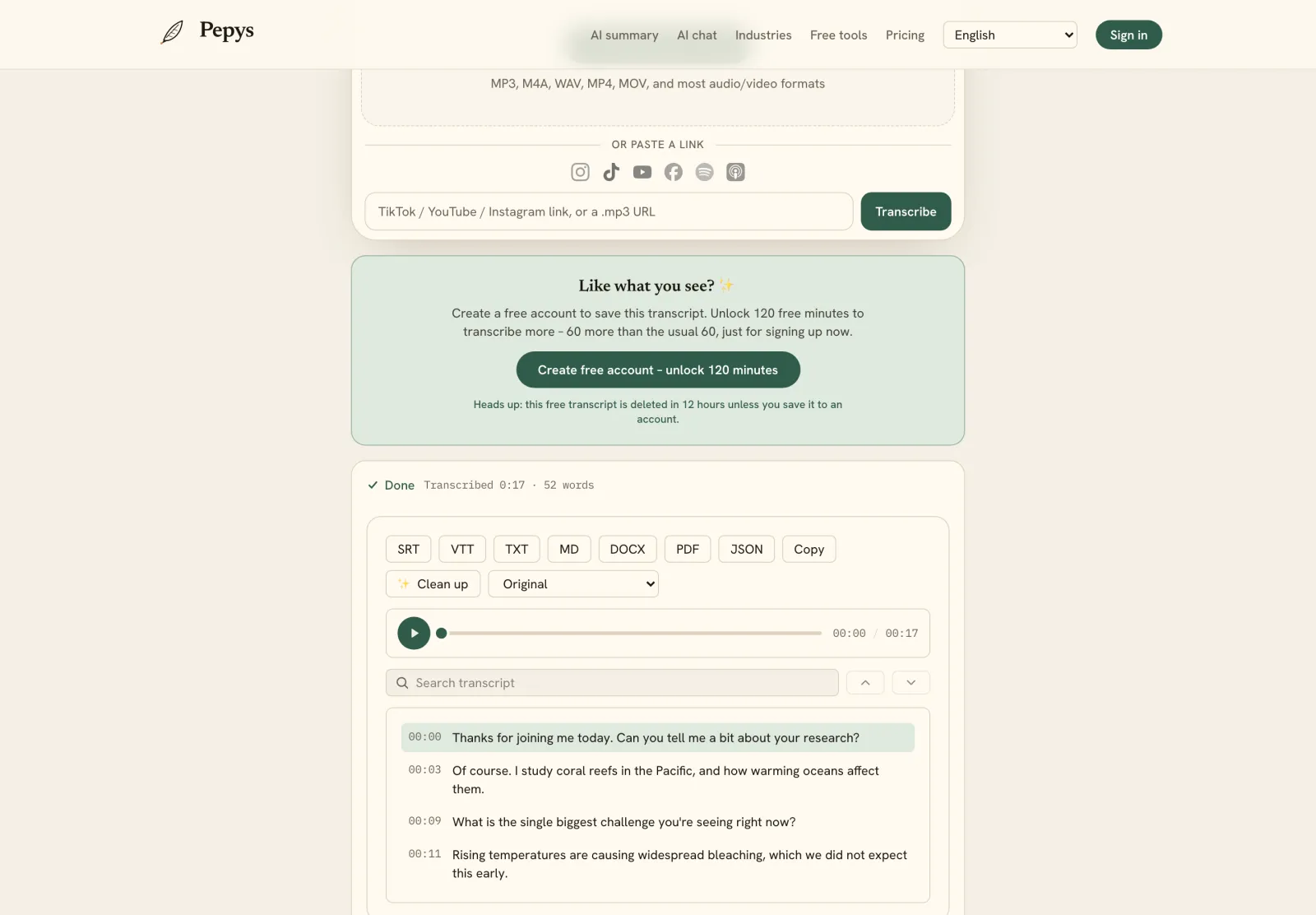
    Drop the per-participant files (or the mixed recording) into Pepys and get a speaker-labeled, timestamped draft in minutes instead of hours of typing.

  4. 04

    Read the draft against the audio

    Fix the spots AI struggles with – names, acronyms, fast numbers, and crosstalk. Mark anything genuinely unclear as [inaudible] with its timestamp.

  5. 05

    Clean the quotes and export

    Apply your verbatim style to the lines you'll publish, keeping timestamps, then export to DOCX for writing or SRT/VTT for captions.

Tips from people who do this a lot

  • Turn on per-participant recording before the meeting starts – you can't split a single mixed file back into separate speaker tracks after the fact.

  • Record a 10-second test and play it back. A muted mic or a droning laptop fan is far cheaper to catch now than after the meeting.

  • On a free Basic account, don't count on Zoom's transcript – capture a local recording and upload it instead.

  • Keep gallery-view video if you can. Matching a voice to a face resolves ambiguous speaker labels fast.

  • Clean only the passages you'll quote. The rest of the transcript just needs to be searchable.

Try it now

Drop in your recording or paste a link and get a clean, speaker-labeled transcript in minutes. Your first 60 minutes are free.

or paste a link
InstagramTikTokYouTubeFacebookSpotifyApple Podcasts

60 min free · no card required · we never train on your audio

PodcasterJournalistContent creatorResearcherStudent
Trusted by 100,000+ creators, podcasters, journalists & researchers

How to transcribe a zoom meeting – questions, answered

Does Zoom transcribe meetings automatically?

Only on a paid plan. Zoom's audio transcript for cloud recordings needs a Pro, Business, Education, or Enterprise account with cloud recording enabled by an admin. Free Basic accounts don't get it by default, so many users record the meeting and upload the audio to a transcription tool instead.

How do I get accurate speaker labels from a Zoom call?

Record a separate audio file for each participant. Zoom can save every speaker on their own track, which keeps voices distinct through crosstalk and makes labeling far cleaner than a single mixed file. With one mixed recording you'll still get labels, but expect to correct more turns by hand around overlapping speech.

What's the fastest way to transcribe a Zoom meeting?

Get an AI first pass, then clean by hand. Upload your recording to get a speaker-labeled, timestamped draft in minutes, then fix only the names, jargon, and quotes you'll publish. That's far faster than typing it out, which can run up to six times the length of the audio.

Is it legal to record and transcribe a Zoom meeting?

Get consent, ideally captured in the recording. Laws vary – federal law and most states allow one-party consent, but roughly a dozen require everyone to agree, and a cross-state call can trigger the stricter rule. We can't give legal advice, but consenting on the record is the safe default.

Should I use Zoom's built-in transcript or a separate tool?

Zoom's transcript is convenient if you're on a paid plan. Uploading your audio gives you more control over speaker labels and export formats, and if you captured per-participant tracks, a dedicated tool keeps each voice distinct and lets you export to DOCX, SRT, or VTT.

References

  1. 1.Enabling audio transcription for cloud recordings – requires a paid planZoom Support
  2. 2.Recording a separate audio file for each participantZoom Support
  3. 3.Haberl et al. (2023), Take the aTrain – transcription time cost, citing Bell et al. (2018)arXiv / University of Graz
  4. 4.Introduction to the Reporter's Recording Guide (state-by-state consent laws)Reporters Committee for Freedom of the Press
  5. 5.Oliver, Serovich & Mason (2005), Constraints and Opportunities with Interview TranscriptionSocial Forces (Oxford University Press)
  6. 6.Quotations that contain errors – the [sic] conventionAPA Style

Keep reading

Don't just take our word for it.

Ask ChatGPT, Claude, or Perplexity what Pepys is and who it's for. One click, and your favorite AI does the homework.

Get your transcript – free to start

Pay as you go – credits never expire, nothing to cancel. Or start free with 60 minutes, no card.